Best Window Treatments for Home Office: Reduce Glare, Boost Productivity
Best Window Treatments for Home Office: Reduce Glare, Boost Productivity
Working from home has become permanent for millions of people, and yet most home offices still rely on whatever window treatments were already in the room. Generic blinds that flood your monitor with glare at 2 PM. Curtains that block so much light you feel like you are working in a cave by mid-morning. Bare windows that turn you into a silhouette on every video call.
Your home office window treatments affect your productivity more than you might realize. Screen glare causes eye strain, headaches, and fatigue. Inconsistent lighting undermines focus. Temperature fluctuations from uninsulated windows make you uncomfortable. And on video calls, which are now a standard part of professional life, your background lighting tells colleagues and clients whether you look polished or amateurish.
The right window treatments solve all of these problems simultaneously. In this guide, we rank the five best types of blinds and shades for home offices, explain how each one addresses the specific challenges of working at a screen all day, and help you choose the option that matches your workspace, budget, and work style.
The Home Office Window Challenge
Home offices face a unique combination of window treatment demands that differ from any other room in your house.
Screen Glare: The Productivity Killer
Glare on your computer monitor is more than annoying. It forces your eyes to constantly readjust between the bright reflection and the dimmer screen content, causing eye strain that accumulates throughout the workday. Studies consistently link prolonged screen glare to headaches, blurred vision, and reduced cognitive performance.
The direction your desk faces relative to your windows determines the type and severity of glare you experience. A desk facing a window creates direct glare from incoming light. A desk with a window behind you creates reflected glare on your screen. A desk perpendicular to a window creates side glare that shifts throughout the day as the sun moves.
The best home office window treatments reduce glare without eliminating natural light entirely. Complete darkness is counterproductive because artificial lighting alone contributes to fatigue and seasonal mood issues.
Video Call Background and Lighting
If you take video calls, your window situation directly affects how you appear on camera. A bright window behind you turns your face into a dark silhouette. A window to your side creates unflattering half-face shadows. And a bare, unfiltered window behind your camera illuminates your face beautifully at 10 AM but washes you out at 3 PM as the sun angle shifts.
Window treatments that provide consistent, diffused light throughout the day create the most professional video call appearance. Light filtering shades are particularly effective because they soften harsh direct sunlight into an even, flattering glow.
Temperature Comfort
Home offices are often in spare bedrooms, converted garages, or bonus rooms that do not have the same HVAC coverage as main living areas. Windows in these rooms can make temperature control difficult, especially with large west-facing or south-facing windows that pour in heat during the afternoon. If you are uncomfortable, you are not productive. Insulating window treatments help maintain a consistent temperature without cranking the thermostat.
Daytime Privacy
Unlike bedrooms where privacy matters primarily at night, home offices need privacy during daytime working hours. If your home office faces a street, sidewalk, or neighboring home, people walking by can see your screens, your work materials, and you. Light filtering treatments that provide daytime privacy while maintaining your view are ideal.
Top 5 Best Window Treatments for Home Offices (Ranked)
We evaluated home office window treatments on glare reduction, consistent light quality, video call performance, temperature regulation, and work-friendly operation. Here are our top five picks.
1. Solar Roller Shades — Best Overall for Home Offices
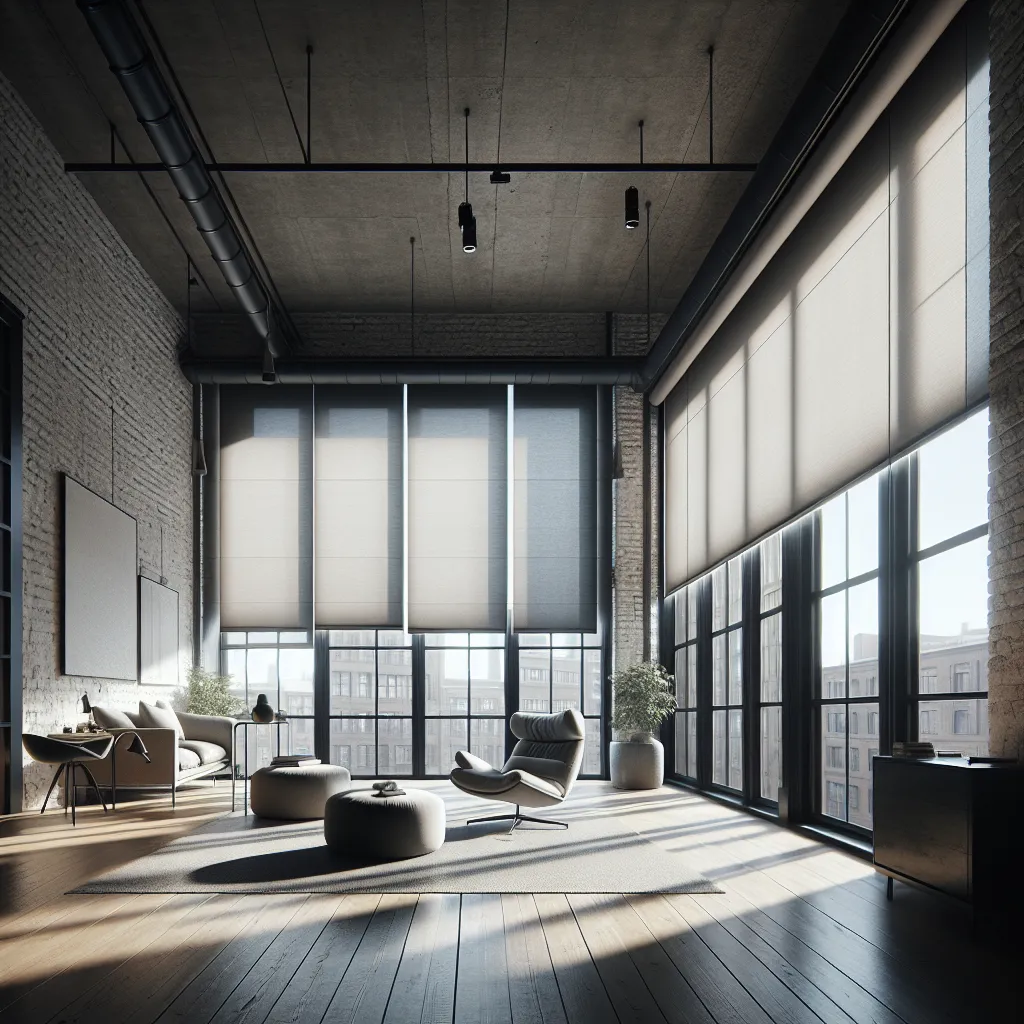
Solar roller shades are purpose-built for exactly the kind of light management that home offices need, making them our clear top pick.
Why they top our list. Solar shades are made from a specially woven synthetic fabric that filters sunlight without blocking your view or plunging the room into darkness. They reduce glare and UV exposure while maintaining a connection to the outdoors, which has measurable benefits for focus and mood throughout the workday. Unlike blackout shades that create an artificial environment, solar shades preserve the natural light rhythm that keeps your circadian system properly calibrated.
Glare reduction. Solar shades are rated by openness factor, which measures how much light the fabric allows through. A 1 percent openness factor blocks 99 percent of UV and significantly reduces visible glare while still allowing you to see outside. A 5 percent openness factor blocks less glare but provides a clearer view. For most home offices, a 3 to 5 percent openness factor hits the sweet spot between glare reduction and view preservation.
Video call performance. Solar shades are arguably the best window treatment for video calls. They diffuse incoming light into a soft, even glow that illuminates your face naturally. Because they maintain some transparency, your background on camera shows a subtle hint of the window and outdoor view rather than a blank wall, which creates a more professional and natural-looking environment.
Temperature regulation. Solar shades reflect a significant portion of solar heat before it enters the room, reducing heat gain by 30 to 50 percent depending on the fabric color and openness factor. Darker and tighter-weave solar shades reflect more heat. This keeps your home office cooler in the afternoon without additional air conditioning.
Operation. Available in chain-operated, spring-loaded (cordless), and motorized versions. Motorized solar shades are particularly valuable in home offices because you can adjust them from your desk without standing up and interrupting your workflow. Some motorized options include light sensors that automatically adjust throughout the day.
Considerations. Solar shades do not provide nighttime privacy. At night, with interior lights on, people outside can see in through the fabric. If you work late into the evening, you may need a secondary treatment (like curtains) for privacy or to layer behind the solar shade. Also, solar shades are not suitable if you need total darkness for video editing, photography, or other work that requires controlled lighting.
Best for: Offices with large windows, west-facing or south-facing desks, frequent video call users, anyone who values natural light during the workday.
Explore our solar shade collection
2. Top-Down/Bottom-Up Cellular Shades — Best for Flexible Light Positioning
Top-down/bottom-up cellular shades let you control exactly where light enters the room, making them ideal for the variable lighting needs of a home office.
Why they rank second. The top-down/bottom-up mechanism is a game-changer for home offices. You can lower the shade from the top to let light in at ceiling level while keeping the bottom half of the window covered for privacy and glare reduction at screen height. This creates a bright, naturally lit room without any direct light hitting your monitor. No other window treatment matches this level of targeted light positioning.
Glare reduction. By keeping the lower portion of the shade closed, you block the direct sightline between the sun and your screen. Light enters from the top of the window, bounces off the ceiling, and fills the room with soft, indirect illumination. This is the ideal lighting scenario for screen work: bright enough to see your keyboard and documents, but no direct glare on your monitor.
Video call performance. Excellent. The light entering from the top of the window creates a natural overhead glow similar to professional studio lighting. Your face is evenly lit without harsh shadows, and the covered lower portion of the window provides a clean background.
Temperature regulation. Cellular shades are the best-insulating window treatment available. The honeycomb air pockets create a thermal barrier that reduces heat gain and loss through the window. For home offices in rooms with poor HVAC coverage, this insulating effect can be the difference between a comfortable workspace and a room that is too hot in summer or too cold in winter.
Noise reduction. Good. The cellular structure absorbs outside noise, which is beneficial if your home office faces a busy street. Reduced noise improves concentration and makes phone and video calls cleaner.
Operation. Available in cordless and motorized versions. Cordless top-down/bottom-up shades require two hands to adjust (one for each rail), which is slightly less convenient than a motorized shade you can control from your desk. For the best home office experience, consider motorized cellular shades with preset positions you can activate with a remote, wall switch, or smartphone app.
Considerations. Top-down/bottom-up cellular shades cost more than standard cellular shades or roller shades. The two-rail operation can be fiddly at first until you find your preferred positions. And unlike solar shades, cellular shades in light filtering fabric block your view of the outdoors entirely when the shade is in position.
Best for: Home offices where glare changes throughout the day, rooms with street-facing windows needing privacy, offices in hot or cold climates needing insulation.
Browse our cellular shade options
3. Dual Shades (Zebra Shades) — Best for All-Day Light Transitions
Dual shades provide the widest range of light control in a single treatment, adapting to changing conditions throughout the workday without any repositioning.
Why they rank third. Zebra shades consist of alternating bands of sheer and opaque fabric on a continuous loop. Aligning the sheer bands creates a light filtering effect with visibility. Aligning the opaque bands creates room darkening with privacy. Every position in between provides a different light level. This continuous adjustability means you can match your light conditions to the sun's position, your task, or your video call needs instantly.
Glare reduction. Good to very good, depending on band alignment. With sheer bands aligned, zebra shades filter light similarly to solar shades. With opaque bands aligned, they block most direct light. The ability to transition between these states throughout the day without raising or lowering the shade is uniquely convenient.
Video call performance. Very good. The light filtering position creates attractive, diffused lighting for calls. The partial transparency maintains a hint of the window in your background. When you need a darker environment for a presentation or screen-share, shifting to the opaque alignment reduces background light without the dramatic change of raising or lowering a shade.
Temperature regulation. Moderate. The double-layer fabric provides some insulation, more than a single roller shade but significantly less than cellular shades.
Operation. Chain-operated or motorized. The adjustment mechanism is smooth and intuitive, with the shade staying at whatever band alignment you set.
Considerations. Zebra shades do not achieve true blackout. The sheer bands, even when backed by opaque bands, may allow some light through the weave in budget products. Ensure you choose a quality product with opaque bands that are truly opaque. Aesthetically, the striped appearance of zebra shades may not suit every office style.
Best for: Home offices that need to adapt to changing light throughout the day, offices used for multiple purposes (work during the day, relaxing in the evening).
4. Light Filtering Faux Wood Blinds — Best for Traditional Home Offices
Faux wood blinds provide classic, professional aesthetics with precise, adjustable light control that works well in traditionally styled home offices.
Why they rank fourth. Faux wood blinds look professional, clean, and polished on video calls. They offer the most granular light control of any option on this list because you can tilt the slats to any angle, directing light up toward the ceiling, down toward the floor, or anywhere in between. This adjustability lets you respond to changing sun angles throughout the day without committing to a single light level.
Glare reduction. Very good when properly tilted. The key is tilting the slats to redirect direct sunlight away from your screen while still allowing ambient light into the room. Tilting slats upward bounces light off the ceiling, creating the soft overhead illumination that minimizes screen glare. Tilting slats downward directs light toward the floor, useful when you want privacy without total darkness.
Video call performance. Good. Faux wood blinds create a clean, professional background that reads well on camera. The visible horizontal lines of the slats are an instantly recognizable "home office" aesthetic that colleagues and clients are accustomed to seeing. One drawback: if you need to adjust the blinds during a call, the tilting mechanism can create noise that your microphone picks up.
Temperature regulation. Moderate. Faux wood blinds create some air gap insulation but do not match cellular shades.
Operation. Wand tilt with cord lift, cordless, or motorized. For home offices, cordless or motorized versions are preferred because they eliminate the distraction of dangling cords and allow quick, quiet adjustment.
Considerations. Faux wood blinds cannot filter light the way solar or zebra shades do. They either block light (slats closed) or allow direct light (slats open), with tilting providing intermediate states. If your office gets intense direct sun, the slats may create visible stripes of light and shadow across your desk, which some people find distracting.
Best for: Home offices in traditional or transitional style rooms, offices where the same room serves as a guest bedroom or den, video call backgrounds that need to look polished and professional.
Browse our faux wood blind collection
5. Motorized Roller Shades with Light Filtering Fabric — Best for Tech-Forward Home Offices
Motorized light filtering roller shades combine effortless operation with smart home integration, letting you optimize your office environment without leaving your desk.
Why they rank fifth. The defining advantage of motorized roller shades in a home office is the ability to adjust your light environment instantly from your desk. A remote control, wall switch, smartphone app, or voice command (via Alexa, Google Home, or Apple HomeKit) lets you fine-tune the shade position without breaking your workflow. You can program daily schedules that automatically adjust the shades to match the sun's position throughout the day, essentially eliminating the glare problem once and set up.
Glare reduction. Good to very good, depending on the fabric. Light filtering fabrics diffuse incoming light without blocking your view entirely. Some motorized shades offer dual rollers with both light filtering and blackout fabrics on the same bracket, giving you two options in one installation.
Video call performance. Excellent. The smooth, continuous fabric creates a clean background. Motorized adjustment means you can fine-tune light levels during a call with the press of a button, without the visual distraction of reaching up to manually adjust a shade.
Smart home integration. This is where motorized roller shades shine for home offices. Program your shades to lower automatically when the afternoon sun hits your window. Set them to rise when your workday ends. Integrate them with your video conferencing app to adjust when you start a call. The automation removes light management from your to-do list entirely.
Temperature regulation. Similar to standard roller shades: minimal unless the fabric has a reflective backing.
Considerations. Motorized shades cost significantly more than manual versions. They require either hardwired power or regular battery recharging. Wi-Fi-connected models depend on reliable internet. And the all-or-nothing up/down operation of roller shades means less precise light control than slatted blinds or top-down/bottom-up cellular shades. The technology is an investment, but for daily work-from-home use, many people find the convenience pays for itself quickly.
Best for: Tech-enthusiast home offices, offices with multiple windows, video conference-heavy workflows, smart home setups.
Home Office Window Treatment Comparison Table
| Feature | Solar Roller Shades | TD/BU Cellular Shades | Dual (Zebra) Shades | Faux Wood Blinds | Motorized Roller Shades |
|---|---|---|---|---|---|
| Glare Reduction | Excellent | Excellent | Good-Very Good | Very Good | Good-Very Good |
| View Preservation | Yes | No (when covered) | Partial | Partial | Partial |
| Video Call Lighting | Excellent | Excellent | Very Good | Good | Excellent |
| Temperature Control | Good | Excellent | Moderate | Moderate | Moderate |
| Noise Reduction | Minimal | Good | Minimal | Minimal | Minimal |
| Automation | Optional | Optional | Optional | Optional | Built-in |
| Price Range | $-$$ | $$-$$$ | $$-$$$ | $$ | $$$-$$$$ |
| Best For | Overall best | Flexible positioning | Light transitions | Traditional style | Smart home offices |
Setting Up Your Home Office for Optimal Light
Window treatments are part of a larger lighting strategy that determines how comfortable and productive your workspace feels.
Desk Positioning Relative to Windows
The placement of your desk relative to your windows has the biggest single impact on glare and lighting quality.
Perpendicular to the window (desk facing a side wall with the window to your left or right) is the ideal position. Natural light fills your peripheral vision without hitting your screen directly. A light filtering window treatment on this side window provides gentle illumination throughout the day.
Facing away from the window (window behind you) provides good natural light on your work surface and keyboard but creates a bright background on video calls that can silhouette your face. Light filtering or solar shades behind you solve this problem by diffusing the backlight.
Facing the window is the most challenging position. Direct light hits your screen and your eyes. This position requires the most aggressive glare control, making solar shades or top-down/bottom-up cellular shades essential.
The Two-Window Advantage
If your home office has windows on two walls, use different treatments on each based on their orientation and function. For example, a solar shade on the south-facing window for heat and glare control, and a light filtering cellular shade on the east-facing window for morning light management. This approach optimizes each window independently.
Supplementing with Task Lighting
Even with perfect window treatment selection, you will need supplemental lighting for overcast days, early mornings, and late afternoons. A desk lamp with adjustable color temperature (warm to cool) complements natural light and fills in when window light fades. The combination of filtered natural light from your window treatments and adjustable task lighting creates a professional, comfortable workspace regardless of weather or time of day.
Video Call Optimization Tips
Beyond window treatments, a few simple strategies dramatically improve your on-camera appearance.
Lighting Position for Calls
The most flattering video call lighting comes from a source at eye level, slightly above your camera, and directly in front of you. If your window provides this light naturally (with window treatments diffusing it), you already have studio-quality lighting. If not, a ring light or desk lamp positioned behind your monitor supplements your window light.
Background Considerations
Window treatments contribute to your video call background in two ways. First, they provide a clean, consistent background texture. Second, they control the light ratio between your face and your background. A background that is significantly brighter than your face (an uncovered window behind you) creates a silhouette effect. A background that is slightly dimmer than your face creates the professional, polished look you want.
Light filtering window treatments behind you solve the brightness imbalance. Solar shades are particularly effective because they reduce background brightness while maintaining a natural, light-filled appearance.
Dealing with Changing Light During Calls
If your calls frequently span 30 to 60 minutes, the sun angle can shift noticeably during a single call. Motorized shades let you adjust mid-call without the visible distraction of reaching for a manual control. Alternatively, solar shades with a consistent openness factor maintain stable lighting regardless of sun angle, reducing the need for mid-call adjustments.
Common Home Office Window Treatment Mistakes
Avoid these pitfalls that many remote workers discover too late.
Going Full Blackout
Blackout treatments in a home office create an artificial environment that contributes to fatigue, eyestrain, and seasonal mood issues. Your body and brain benefit from natural light during the workday. The goal is filtering and redirecting that light, not eliminating it.
Ignoring Afternoon Sun
Morning workers often set up their office to handle morning light and forget that west-facing or south-facing windows become problematic by mid-afternoon. Consider how the light changes from 8 AM to 6 PM when choosing your window treatments, not just the conditions when you sit down at your desk.
Choosing Style Over Function
Your home office window treatments need to work harder than treatments in any other room. A beautiful Roman shade that looks perfect on Instagram may provide terrible glare control at 3 PM. Prioritize function first, then find the most attractive option within your functional requirements.
Skipping Motorization for Multi-Window Offices
If your office has more than one window, manually adjusting each window treatment multiple times per day quickly becomes tedious enough that you stop doing it. Motorized treatments that adjust on a schedule or with a single button press are worth the investment in multi-window offices.
Final Verdict: Which Home Office Blinds Should You Choose?
For most home office setups, solar roller shades deliver the best combination of glare reduction, natural light preservation, video call lighting, and temperature control. They solve the core home office window problem, too much direct sun and glare, without creating the secondary problem of a dark, artificially lit workspace.
If your office faces east or west and deals with dramatic light shifts throughout the day, top-down/bottom-up cellular shades give you the most control over where light enters the room. For offices where you want one treatment that adapts to everything, dual (zebra) shades provide the widest range of light levels without repositioning.
Whatever you choose, prioritize glare reduction and consistent light quality. You spend more waking hours in your home office than in almost any other room. Window treatments that make those hours more comfortable and productive are one of the smartest investments you can make in your work-from-home setup.
Ready to upgrade your home office windows? Browse our light-filtering collections or request online fabric previews to test how different fabrics handle your specific light conditions. Not sure which option fits your setup? Contact our team for personalized workspace recommendations.